
How to Bid on Drouotlive
1 – CREATE AN ACCOUNT
To create an account:
• Go to the “Upcoming Auctions” tab, find the auction you’re interested in, and click on the Drouot Digital Live tab
• In the “Log In” section, click “Create an Account.”
• Fill in the requested information.
• Accept the Terms of Use and confirm your registration.
• You will then receive a confirmation email. Be sure to check your spam folder.
• Click on the confirmation link.
• Your account has been created!
2- REGISTERING FOR AN AUCTION
To bid on a lot, you must first have a Drouot Digital account and register for the auction.
• Go to the “Upcoming Auctions” tab, then click the Drouot Digital Live icon.
• Click the “Log In” icon and sign up or create an account if you don’t have one.
• Then click the “Register for the Auction” button.
To ensure the security of transactions, for each auction you must:
• Verify your personal information
• Agree to the terms and conditions of the sale and the website
• Agree to share your information with the auction operator
You are now registered: you can bid on an item. Don’t forget that you must log in to your account before you can place a bid!
3- INCREASE YOUR BID LIMIT
• Go to our auction on our website with your credit card and cell phone;
• Click on the Drouot Digital Live icon;
• Click on “Register for the auction”;
• Click on “Increase Your Limit”;
• Enter the desired advance amount (30% of the total amount of bids you wish to place) and confirm (the total of your purchases cannot exceed this limit);
• Complete your payment as you would on any e-commerce site;
This deposit will only be debited if you win a bid.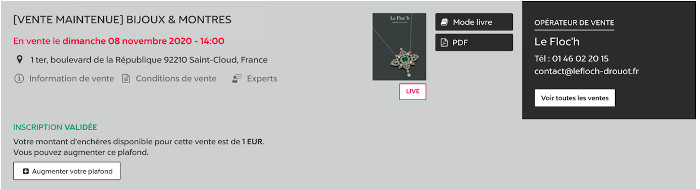
4-BIDDING IN A LIVE AUCTION
Live auctions are in-person auctions that are streamed live on the Drouot Digital website.
To bid in a live auction, you must:
• Have a Drouot Digital account
• Register for the auction
• Log in on the day of the auction and click “Bid Live.” You’ll be taken to the Live Player, where you can view the video feed from the auction room and track the progress of the bidding.


On the Live Player, before bidding begins and between each lot, the message “Bidding has not yet begun” marks the pace of the auction.
• Before a lot is brought to the auction floor, the “starting bid” is announced.
• Click on the suggested amount to place a bid (the bid increment is determined by the auctioneer).
• If you are the highest bidder, you will be immediately notified by the platform.
The auction house will then contact you to arrange payment and pickup or delivery.